Registration
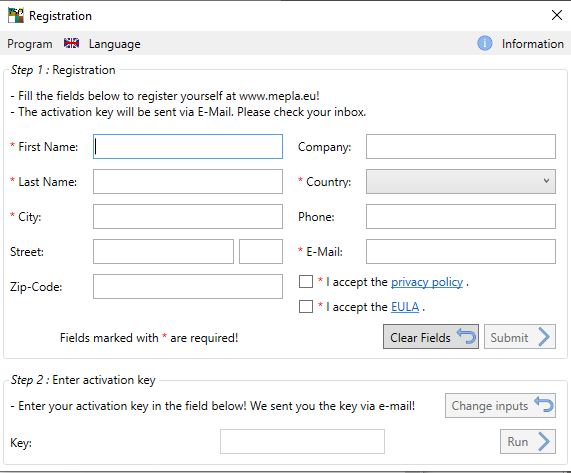
Registration form

Before the first usage you should fill out the registration form.

In return you will directly retrieve an automated e-mail, where you will find your activation key to be entered in Step 2.

Then press Proceed to start Mepla Iso.
Definition of the pane size
Geometry setup

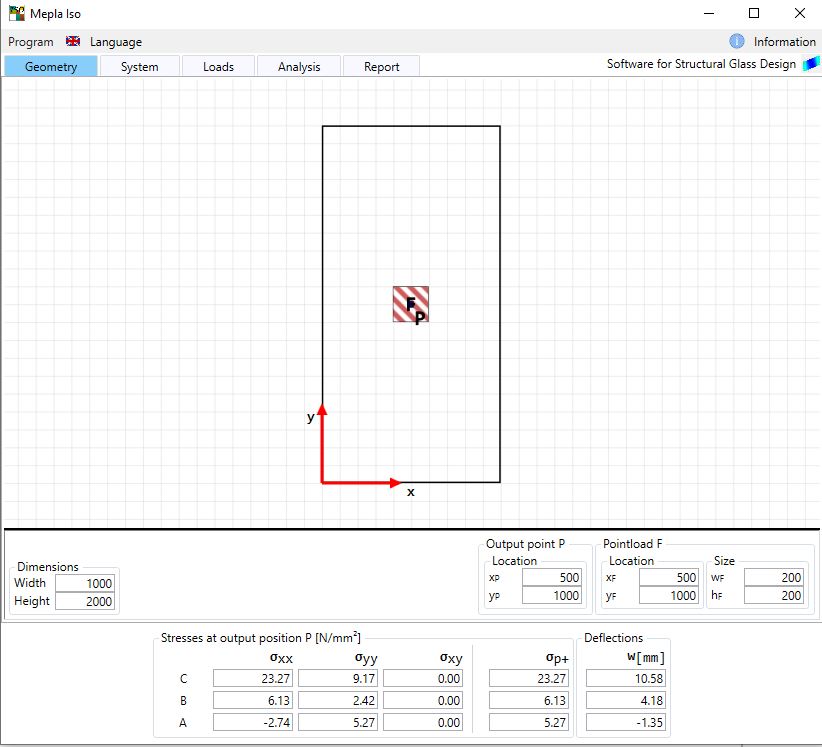
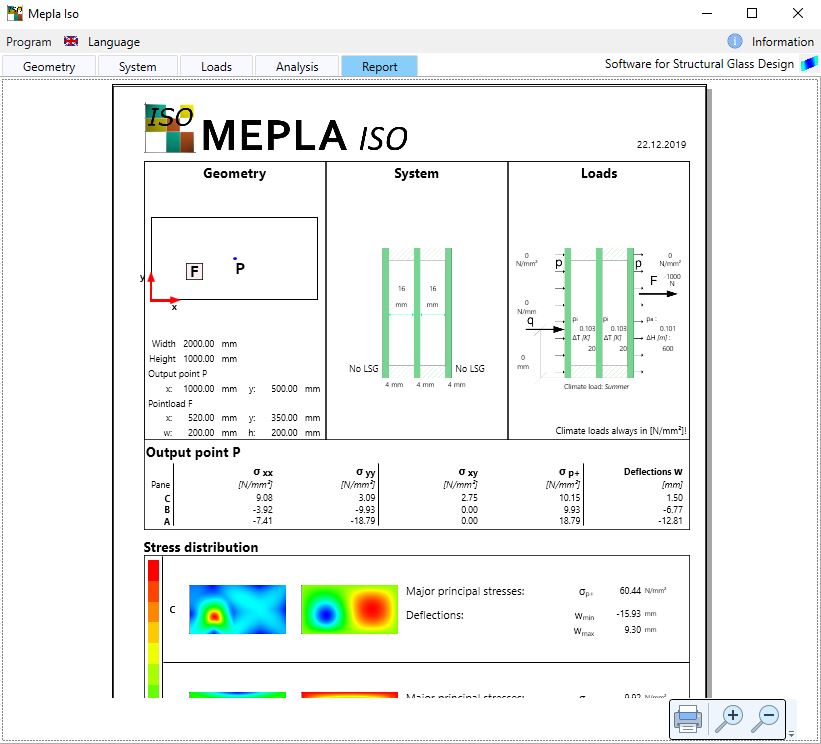
Within the first Geometry card you can define the size of your insulated glass unit. It is allways simply supported at all four edges.

Here as well the position for a point load with an distribution area of 200x200mm can be entered.

The output position for the calculated stresses and deformations is considered to be in the middle of your system. But it can be changed anytime according to your needs.

The material properties are set for glass: E = 70.000 N/mm² with ν = 0.23.
Setting up the system
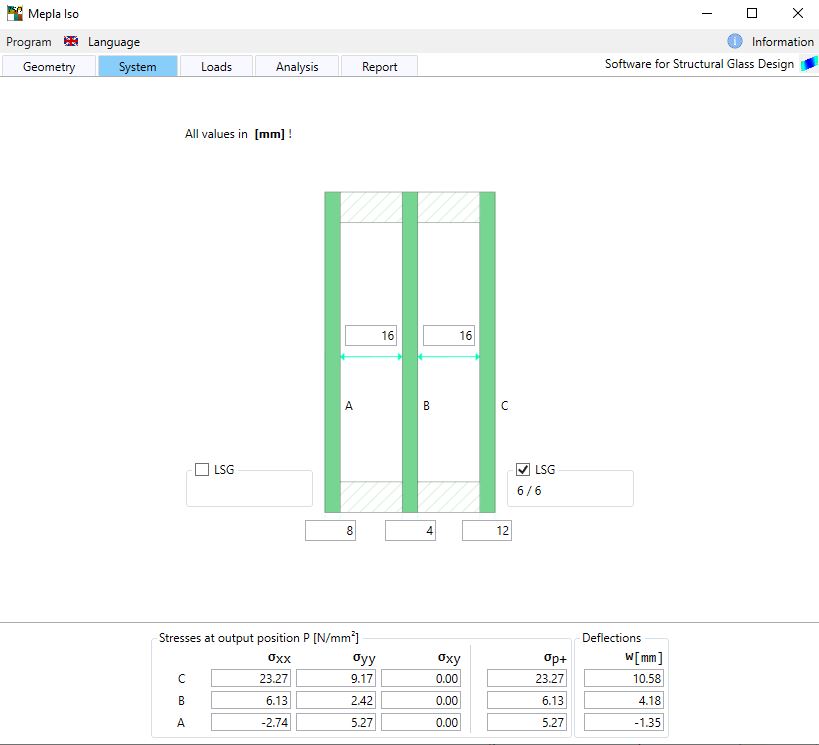
Pane thickness and gaps

Inside, middle and outside panes can be set to any thickness. For the inside and outside pane as well laminated Safety glass (LSG) is possible to consider.

Shear effects are not considered, so that the 2 layers will have no shear connection and are of equal thickness.

To consider only a double glass unit, the middle pane can be set to a small value like 0.01mm.
Loading conditions
Possible loads for Mepla Iso

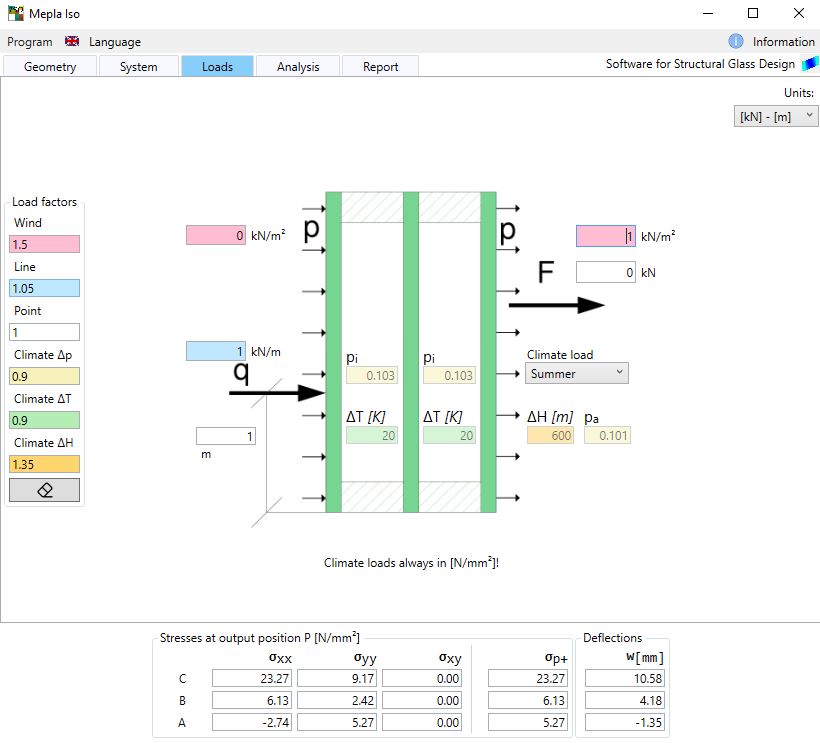
Loads can be given as wind loads acting onto the inside and outside, line loads onto the inside, point loads applied onto the outside or additional climate loads.

Please note that the arrows indicate the positive direction. So if pressure loads onto the outside face shall be given, these loads should be negative - for the inside positive.

Climate loads used for Winter and Summer conditions are related to a German Guideline. More information for these load conditions can be found here.
If you want to consider your own climate laods, select "Own". Then you can enter
  • temperature change inside the gap
  • outside ambient pressure
  • inside pressure during sealing/fabrication
  • difference of height between fabrication and installation
Resulting stresses
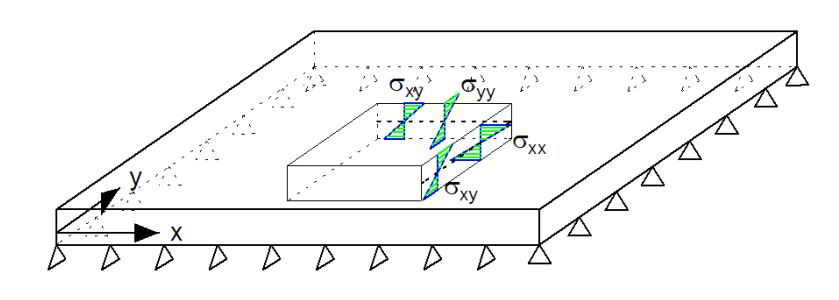
stresses within the plate
stress results

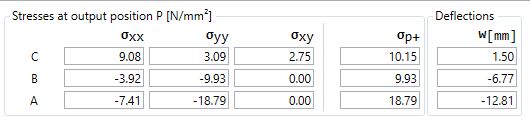
Results are directly calculated while typing in your system. The stresses σ_xx, σ_yy and the shear stresses σ_yy are shown for the selected output position.

As a results of these components the major principal stresses σ_p+ for designing glass are evaluated too. They include the largest stresses independant from the top or bottom fiber.
Global scan
checking the total surface

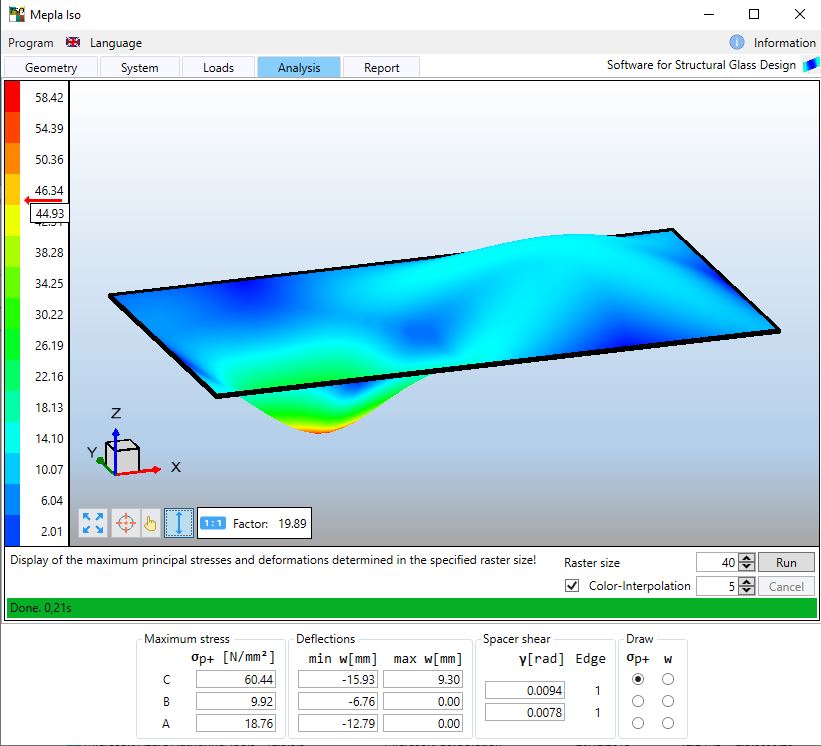
Here you can check the total area if there may be larger deformations or stresses than for the one specified position.

Depending on the chosen grid size all panes are checked and the largerst stresses and deformations are shown.

In parallel the stresses of the selected pane are shown with color bands. Here the maximum principal stresses from the top or bottom fibre are visualized in a ramp from blue to red.
How to get information and updates
Information

All times when the program starts it will check for actual updates.

Additionally, you can manually search for updates by clicking the blue info button.

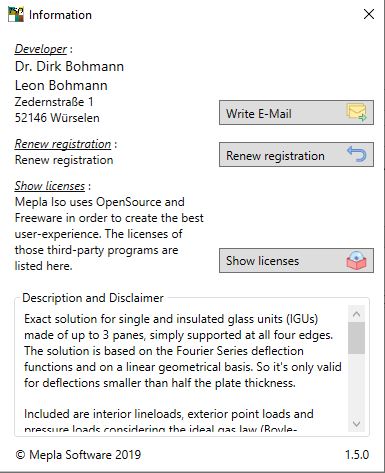
Then a window will appeare, where you can send us an e-mail, key in new registration data or check for new updates.
Check and install a new version
Updating window


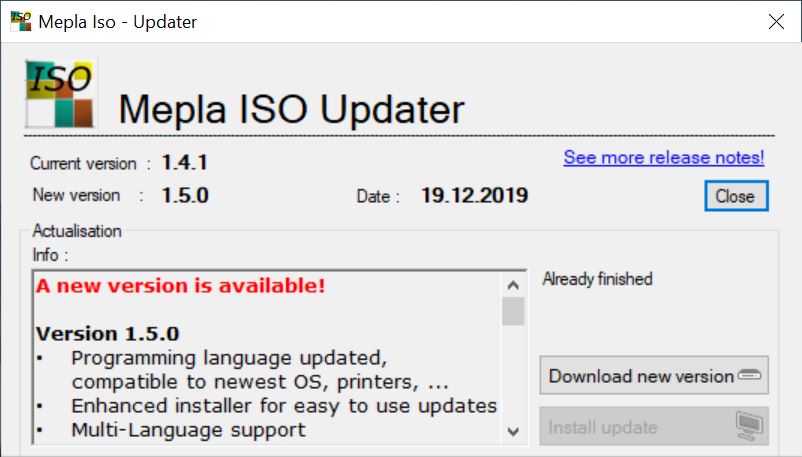
Within a new window related update information are shown and can be directly installed.

This service is as well for free.